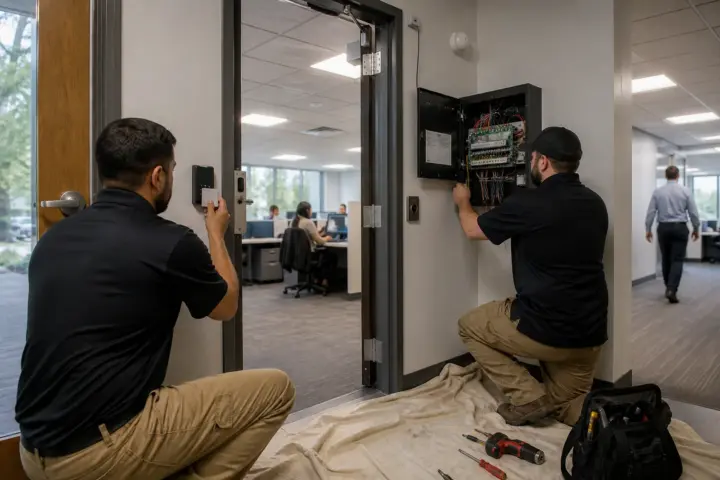
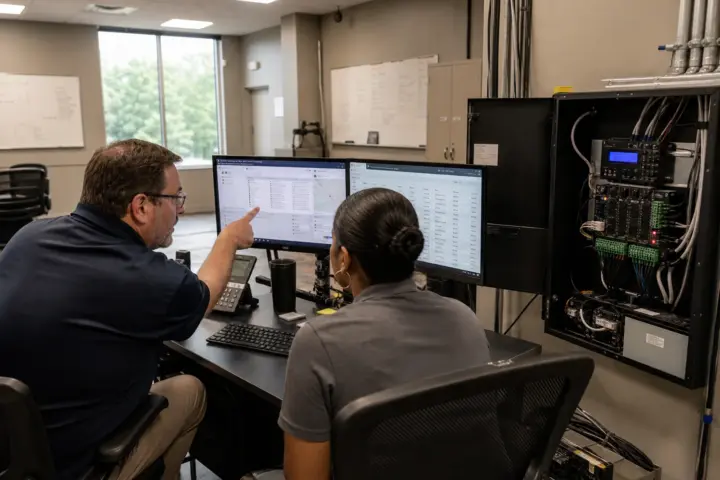
A commercial access control system is not a reader attached to a wall. It is a coordinated set of credentials, readers, locking hardware, controllers, software, network connections and operating rules. The best buying process starts with the building and the people using it, then compares products against one written requirement. This guide explains the major choices and links to deeper answers where a planning question deserves its own treatment.
What are the advantages of commercial access control?
Electronic access replaces uncontrolled keys with permissions that can be changed without rekeying an entire facility. An administrator can remove a departed employee, restrict a contractor to certain hours, give a manager access to several sites and review door activity when an incident needs investigation. Those capabilities can improve security, but the operational benefits are just as important: fewer emergency rekeys, faster onboarding, consistent schedules and one repeatable process for managing access.
Revocable credentials
Disable a lost card, fob or phone credential without changing every lock it could open.
Role-based permissions
Assign access by department, job, location or shift instead of maintaining door-by-door exceptions.
Usable event history
Search granted and denied entries, forced doors, held-open alarms and administrator changes.
Multi-site control
Manage several offices from one platform when network design, licensing and local support are planned correctly.
Access control does not replace every physical-security measure. Doors still need suitable frames, latches, closers and exit hardware. Cameras provide context but do not make an access decision. Visitor procedures, employee training and timely offboarding remain essential. Review how access control components work together before comparing a software demonstration or reader model.
Common access control system types and architectures
“Type” can describe the permission model, the hosting model or the hardware layout. Buyers should identify all three. A provider that says a system is cloud-based has not yet explained whether door decisions continue locally during an outage, what controller hardware is used or how access rights are assigned.
| System type | How it works | Where it fits | Questions to ask |
|---|---|---|---|
| Standalone electronic lock | Permissions and events are stored at one opening, often programmed locally or through a nearby device. | A small number of interior doors where central monitoring is not required. | How are users removed, events retrieved and batteries monitored? |
| On-premises networked | Controllers report to software hosted on equipment the organization operates. | Teams with defined IT ownership, local infrastructure and specific integration or data requirements. | Who patches, backs up and replaces the server? What happens if it is unavailable? |
| Cloud-managed | Administrators use a hosted service while controllers should retain appropriate local door logic. | Organizations seeking remote administration, multi-site visibility and reduced server ownership. | What is the recurring fee, offline behavior, data export process and service-level commitment? |
| Hybrid | Local controllers and selected local services operate with cloud management or connected applications. | Existing systems being modernized in phases or organizations balancing local resilience with remote management. | Which functions are local, which require the cloud and what hardware can be retained? |
| Managed access control | A provider performs some credential, monitoring, maintenance or reporting functions. | Businesses without dedicated security administration or with many small sites. | Who approves changes, owns the data and responds outside business hours? |
Permission models also matter. Discretionary access control lets an owner or administrator decide who receives access. Role-based access control applies permissions through defined jobs or groups and is common in offices. Rule-based access adds conditions such as time, location or event state. Mandatory access control uses centrally enforced classifications and is more likely in highly regulated or government environments. Our answer on the main access control models provides a concise comparison.
Cards, fobs, mobile credentials, PINs and biometrics
The entry method shapes convenience, replacement work, privacy and recurring cost. It should be selected after the organization defines users and exceptions. A busy employee entrance, a visitor-facing lobby, a restricted records room and a vehicle gate may reasonably use different methods within one platform.
| Entry method | Main advantages | Watch for | Common use |
|---|---|---|---|
| Smart card | Individually assigned, familiar, printable as an ID badge and available with stronger modern credential technologies. | Issuance equipment, card replacement, legacy low-frequency formats and reader compatibility. | Offices, schools, healthcare and multi-building campuses. |
| Key fob | Compact, durable and simple for users who do not need a visible ID card. | Easy sharing, replacement inventory and the security level of the credential technology. | Small offices, fitness, residential common areas and service teams. |
| Mobile credential | Remote issuance, fewer physical cards and a device many employees already carry. | Phone compatibility, enrollment, battery or device-change procedures and recurring credential charges. | Modern offices, flexible workforces and multi-site organizations. |
| Keypad or PIN | No physical credential and economical access for selected doors. | Shared codes, shoulder surfing, code-change discipline and weak individual accountability. | Low-traffic staff doors, temporary access and secondary verification. |
| Biometric | Stronger connection between the person and credential when properly implemented. | Privacy law, consent, retention, enrollment, throughput and alternate access after a failed match. | Data rooms, laboratories and other selected higher-security openings. |
| License plate or long-range credential | Convenient vehicle entry without presenting a card at arm’s length. | Gate safety, tailgating, lighting, plate changes and integration with visitor procedures. | Parking facilities, gated yards and distribution sites. |
Read the detailed comparison of keypad versus card access, the explanation of mobile phone entry and the guide to office biometric access. For higher-security card deployments, ask about encrypted smart credentials and reader-to-controller communication rather than accepting “proximity card” as a complete specification.
Real-world applications by building type
| Application | Typical priorities | Often-overlooked requirement |
|---|---|---|
| Professional office | Exterior entrances, suites, IT rooms, schedules, visitor entry and fast offboarding. | Who admits deliveries and guests when reception is unstaffed? |
| Medical or dental practice | Staff-only areas, medication or record rooms, after-hours cleaners and auditable permissions. | Separating access needs from assumptions about regulatory compliance. |
| Warehouse and distribution | Employee entrances, gates, dock areas, contractors and shift changes. | Door and gate hardware exposed to traffic, weather and impact. |
| School or childcare | Controlled visitor entry, staff credentials, schedules, lockdown procedures and video context. | Safe egress, emergency operation and clear authority for remote release. |
| Multi-tenant property | Shared perimeter doors, tenant spaces, elevators, amenity areas and management turnover. | Ownership of credentials, data and support when tenants change. |
| Multi-site business | Consistent roles, centralized reporting, delegated local administration and scalable licensing. | Reliable local service and standardized door documentation at every location. |
A useful application plan starts with an opening schedule, not a generic industry package. The installation quote checklist identifies the door, power, cabling and software details providers need. Teams planning several markets can use the national access control location directory to connect local pages with one consistent buying process.
New advancements changing access control decisions
Current systems are moving toward stronger credential security, mobile wallet support, cloud and hybrid administration, more capable edge controllers, open device protocols and tighter links between physical access, video and identity workflows. The business value is not that a feature is new. It is that it reduces administration, improves resilience or gives operators clearer information without creating a fragile dependency.
- Mobile wallet credentials: credentials stored in supported phone wallets can simplify presentation and issuance, but buyers still need a lost-device and replacement process.
- OSDP reader communication: supervised two-way communication can improve security and device monitoring compared with older one-way wiring when every component is configured correctly.
- Cloud-native and hybrid management: remote administration can help multi-site teams, while local controller decisions remain important for continuity.
- Identity lifecycle automation: integrations can create, modify or remove permissions as employees change roles, but approval and exception handling must be designed carefully.
- Unified video and access events: an operator can review video associated with a forced door or denied entry when products, time synchronization and retention are compatible.
- Wireless and intelligent locks: selected interior openings can be added with less cabling, provided battery maintenance, radio coverage and emergency behavior are acceptable.
Ask providers to demonstrate outage operation, administrator audit logs, certificate or encryption management, update procedures and export options. The power and internet outage guide explains what to test. The CISA physical security resources provide a broader risk-planning reference, while adopted codes and the local authority having jurisdiction determine life-safety requirements.
Common commercial access control brands and product families
Brand names help organize the market, but a logo does not establish fit. Compare the exact software edition, controller, reader, credential, lock compatibility, licensing term and local support team. Some providers emphasize open hardware choices; others offer a more vertically integrated platform. Existing Mercury-based panels, wireless locks or credential investments may influence the migration path.
| Brand or family | Often considered for | Buyer focus |
|---|---|---|
| HID Signo and HID Mobile Access | Readers, smart credentials and mobile credential ecosystems. | Credential technology, reader configuration, mobile licensing and migration from legacy cards. |
| Brivo | Cloud-managed access control and multi-site administration. | Supported hardware, subscription scope, integrations, offline behavior and installer service. |
| Verkada Access Control | Cloud-managed access combined with the vendor’s broader physical-security platform. | Product ecosystem fit, licensing, network design, data controls and long-term ownership cost. |
| Genetec Synergis | Enterprise access control and unified security with broad hardware integration options. | Supported device list, server or cloud architecture, cybersecurity configuration and integrator capability. |
| LenelS2 OnGuard and NetBox | Enterprise and midmarket networked access deployments. | Edition capacity, integration needs, maintenance, upgrade path and local technical expertise. |
| Avigilon Alta Access | Cloud-based access administration and mobile-centric workflows. | Controller and reader choices, subscriptions, identity integrations and migration support. |
| Kisi | Cloud-managed access for offices and distributed workplaces. | Door hardware scope, network resilience, credential options and service responsibility. |
| Honeywell Pro-Watch, Software House C•CURE and Kantech EntraPass | Established commercial and enterprise access control environments. | Specific system scale, supported versions, integrations, modernization plan and qualified local support. |
Official product information from HID Signo, Brivo access control and Genetec Synergis can help confirm current capabilities. A provider proposal should still name the actual models and licensed features; compatibility should never be inferred from a brand family alone.
Commercial access control cost ranges
Installed cost depends on the opening more than the reader. A simple interior door with reusable cabling is different from an exterior aluminum entrance that needs new electrified hardware, power, pathway work and fire-alarm coordination. The following ranges are conceptual 2026 planning allowances—not provider bids—and exclude unusual construction, major door replacement and tax.
| Cost component | Typical planning range | Main variables |
|---|---|---|
| Standard wired controlled door | $1,800–$5,000 per opening | Reader, lock, request-to-exit, door contact, power, controller share, cabling and labor. |
| Complex exterior or paired opening | $3,500–$9,000+ | Panic hardware, fire rating, storefront conditions, weather exposure and pathway work. |
| Wireless interior electronic lock | $1,000–$3,500 per opening | Lock format, gateway needs, battery service, software and door preparation. |
| Biometric-controlled opening | $3,500–$10,000+ | Reader technology, enrollment, privacy controls, throughput and alternate entry. |
| Credentials | $3–$25+ each | Card or fob technology, printing, encoding, quantity and mobile-license model. |
| Cloud software and support | $15–$80+ per door monthly | Feature tier, retention, integrations, monitoring, support and contract term. |
| Training and commissioning | $500–$3,000+ | System size, administrator count, testing, documentation and turnover requirements. |
Estimated access control costs in Colorado
For businesses comparing Colorado access control companies, early budgeting should allow for the same door-specific variables plus local travel, permitting, electrical coordination and the service coverage required outside the Front Range. These broad scenarios are intended to help a team decide whether proposals describe the same work.
| Colorado project example | Estimated installed range | What the allowance assumes |
|---|---|---|
| One-door professional office | $2,000–$5,500 | One ordinary opening, existing network access, standard credential reader and limited construction. |
| Four-door small office | $8,000–$20,000 | Shared controller and power, standard cabling, cards or mobile credentials, setup and training. |
| Ten-door commercial facility | $20,000–$50,000 | Mixed interior and exterior openings, centralized software, event reporting and commissioning. |
| Twenty-five-door or multi-site rollout | $50,000–$135,000+ | Several controllers, broader hardware mix, network coordination, phased installation and administrator training. |
A Denver access control project in an occupied high-rise may face different labor, elevator and after-hours constraints than a ground-level facility. A Colorado Springs access control installation may involve campus, government-adjacent or multi-building requirements. Scope the real openings, then use the access control price comparison form to request current provider pricing.
Access control buying checklist
- Inventory every opening. Record door and frame material, existing lock and exit hardware, fire rating, traffic direction, available power, cable route and any gate or elevator interface.
- Define users and exceptions. Count employees, contractors and visitors; document schedules, role groups, temporary access and offboarding responsibility.
- Select entry methods deliberately. Compare cards, fobs, phones, PINs and biometrics on issuance, daily convenience, security, privacy and replacement work.
- State software requirements. List administrator roles, reports, alerts, event retention, exports, mobile administration and audit history that will actually be used.
- Name every integration. Identify camera, intrusion, intercom, elevator, visitor or identity systems and require supported versions and ownership of the integration work.
- Test resilience. Ask what happens during a power, internet, controller or cloud-service outage and how doors recover afterward.
- Normalize prices. Separate hardware, cabling, electrical work, licenses, credentials, permits, training, warranty, maintenance and recurring service over the same term.
- Confirm support. Identify the local service provider, response process, escalation path, spare strategy and responsibility for updates and backups.
Before signing, request a door schedule, bill of materials, network requirements, implementation plan, test procedure, as-built documentation and administrator turnover. Compare the proposal against the answers to how many doors to control, existing security-system integration and access control reporting. The strongest proposal explains both normal operation and failure conditions in plain language.
Compare providers against one complete requirement.
Describe the property, controlled doors, users, preferred credentials and integrations once, then compare current options on the same scope.
Check Access Control Prices