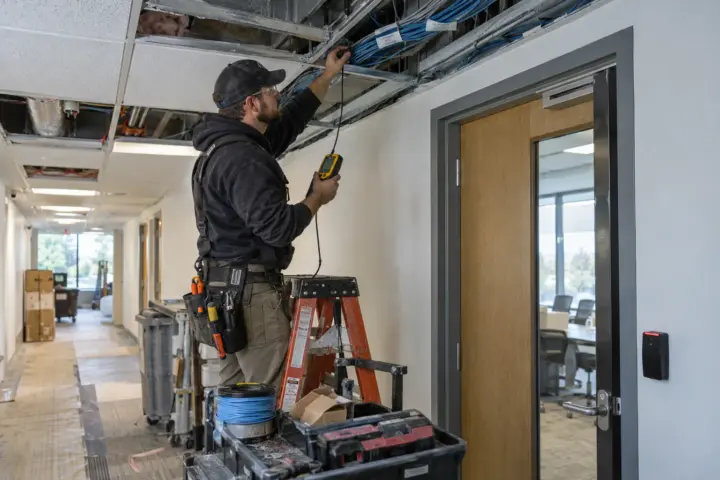

Retrofitting access control into an existing building is a door project, an electrical project, a software project and an operational change at the same time. The reader is usually the easiest component to see. The harder work is making the opening lock, release, report and remain usable under normal and emergency conditions.
A good installation plan starts with a physical survey, not a product list. Walk every proposed opening with facilities, security and the installer. Record the door, frame, lock, closer, traffic, cable path, power, network conditions and any work expected from other trades.
The commercial access control buyer’s guide explains the larger system decision. Use this checklist to turn that decision into a buildable existing-facility scope.
1. Build a controlled-door schedule
Give each opening a unique name and number. Record its location, material, swing, existing lock, fire label if present, normal hours, user groups and desired credential method. Include gates, elevators and interior restricted areas rather than counting only exterior entrances.
Photograph both sides of the opening, the frame, closer, nearby ceiling and proposed controller location. Clear documentation reduces assumptions when providers prepare labor and hardware estimates.
2. Correct basic door problems first
Check alignment, latch engagement, closer operation, damaged hinges, loose frames and weather exposure. Electrified hardware cannot compensate reliably for a door that does not close and latch on its own.
Decide whether locksmith, glazing, carpentry or door-replacement work is included in the access-control proposal or handled separately. Put the responsibility in writing.

3. Select hardware around the opening
The door type and required behavior guide the electric strike, electrified lockset, magnetic lock or other locking method. The complete design may also require a request-to-exit device, door-position switch, power transfer, power supply and controller input.
Life-safety and egress behavior must be reviewed for the actual jurisdiction and opening. Fire-rated doors, stairwells, delayed egress and magnetic locking arrangements may require specialized coordination. Do not treat a generic wiring diagram as approval for a specific door.
4. Confirm cable, power and network paths
Identify pathways from each opening to the controller or network device. Note hard ceilings, concrete walls, occupied tenant areas, protected finishes and places where surface raceway may be required. Confirm who supplies electrical circuits, outlets, network drops and switches.
For network-connected devices, involve IT early. Document addressing, segmentation, outbound connectivity, remote support and administrator access rather than asking for emergency network changes on installation day.
5. Define credential and permission data
Prepare employee and contractor lists before commissioning. Establish access groups by job function and location, then apply schedules and expiration dates. Avoid copying every existing key assignment into the new system without review.
Define who can approve, issue, change and revoke access. More than one trained administrator should understand daily operation, but permissions should still reflect responsibility.
6. Coordinate work around the business
Document noisy work, temporary door restrictions, dust control, escort requirements, work hours and sensitive areas. A phased installation may keep entrances available, but the sequence must account for when locks, readers and controllers become operational.
Tell employees what will change, when credentials will be distributed and where to get help. A technically complete system can still create confusion if users arrive without activated credentials.
7. Test every required condition
Do not limit turnover testing to one successful card read. Test valid access, denied access, expired credentials, schedules, forced door, held door, request to exit, power conditions, network interruption and any approved emergency-release behavior. Confirm that event descriptions match the actual door names.
Integrations should be tested with real scenarios. If an access event is expected to call up video, verify the correct camera and time. If an intercom releases a door, confirm the event is recorded and the door relocks properly.
8. Collect turnover documents
- Final door and device schedule
- Controller, power and network locations
- Approved drawings and cable documentation
- Administrator and service contacts
- Credential inventory and issuance records
- Software licenses, warranties and renewal dates
- Configuration and data-export procedures
- Training records and written operating procedures
Before requesting prices, review current access control questions and use the comparison form with the surveyed door count and installation conditions.
Frequently asked questions
Can access control be added without replacing every door?
Often, yes. Reuse depends on door condition, hardware compatibility and required operation. Each opening should be inspected before the proposal assumes existing components can remain.
How disruptive is an access control installation?
Disruption depends on door preparation, wiring access, business hours and project size. A phased plan and clear temporary-access procedure can reduce operational impact.
Who should participate in the survey?
Facilities and security should normally participate, with IT, property management and other trades involved when network, fire, electrical, elevator or construction coordination applies.
What should be tested before acceptance?
Test authorized and denied entry, exit, door alarms, schedules, offline behavior, emergency conditions defined for the opening, integrations, reporting and administrator workflows.